
 SalePilot Smart Sale Scheduler

What 500 price changes cost by hand
One weekend, 500 products: a sale goes on at Friday 00:00, the next sale takes over at Monday 00:00, and prices go back at Tuesday 00:00. That is 3 changes on each product.
One by one, on each product
~12 h
500 × 3 = 1,500 price edits, at about 30 seconds each. You at the keyboard at all 3 times.
A CSV file, run 3 times
~1 h
About 20 minutes a run: export, a price formula, import, a spot-check. Still you, at all 3 times, midnight included.
Scheduled once in SalePilot
3 min 23 s
Two sale forms, timed on our demo store on 12 Nov: 1 min 51 s + 1 min 32 s. The video rounds it up to 4 minutes. Any day before, never at midnight.
The 12 hours and the 1 hour are our estimates (30 seconds per edit, 20 minutes per CSV run), not measurements. Your times will differ; the 3 midnight sessions do not.
Watch it in 33 seconds
Transcript
500 prices, 30% OFF.
How long at the keyboard?
1,500 price edits. About 12 hours.
CSV file: 1 hour, 3 times.
Type one number, not 500 prices.
Pick the time once. Then you're free.
The next sale takes over by itself.
Friday: $27.30.
Monday: $23.40.
Tuesday: back to $39.00.
The answer: 4 minutes.
SalePilot. Sleep through Black Friday.
The video plays here, in place, only when you press play. It is on our YouTube channel too: youtube.com/shorts/wwhrs6aAmCQ.
Set it once in 4 steps
Create a sale event with its start and end
In SalePilot, press Create sale event. Under Schedule, set the start date, hour and minute, then the end date, hour and minute. The end is set now, too.
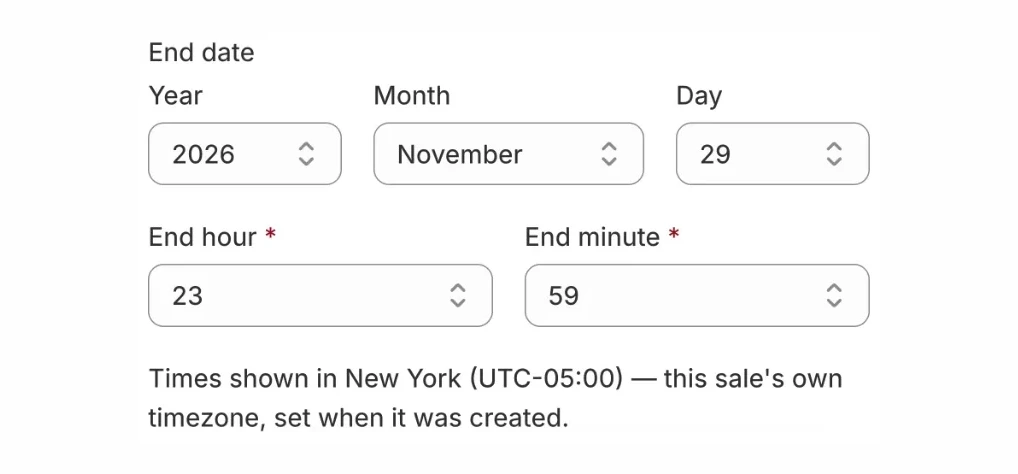
Start and end, with the hour and minute you pick, in your store’s timezone. Type one number for a whole collection
Under Add a discount, pick Percentage OFF a collection or Percentage OFF specific products, type 30, choose what it covers and press Add to sale.
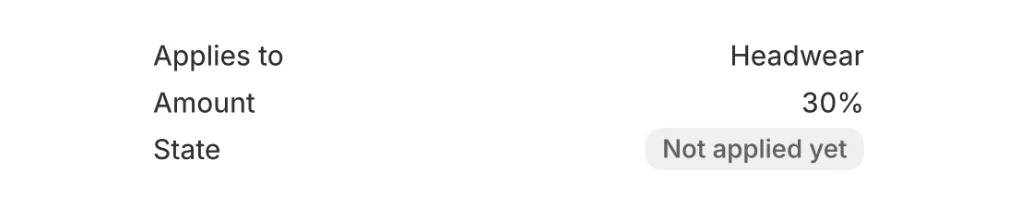
One line covers every product in the collection. Press Schedule this sale
Saving alone starts nothing. Schedule this sale hands it to SalePilot, which changes the listed prices at the start and puts them back at the end, whether or not you are logged in.
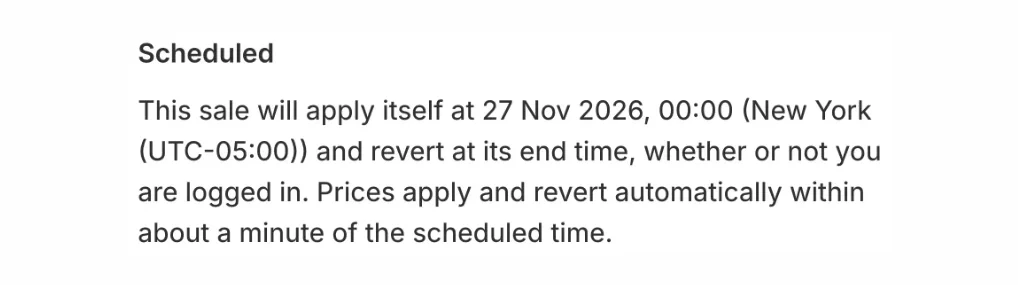
Scheduled. Nothing else to press. Queue the next sale after it
Make the second sale the same way, starting when the first one ends. Both wait in the list as Scheduled and run one after the other.
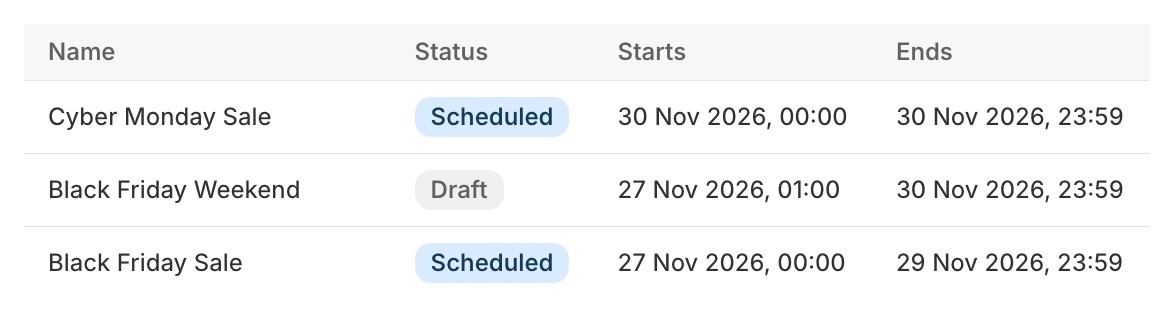
Two sales queued on a demo store, each with its own start and end.
Try it on your store
Change the price once. Sleep through the switch.
Sleep while prices changeThe free plan runs 1 sale event a month. Back-to-back sales in one month need SalePilot Pro, $9.99/month.
Every step and setting: the full setup guideWhy the price on the page matters