

1. Build the gift set: 2, 3 or more products
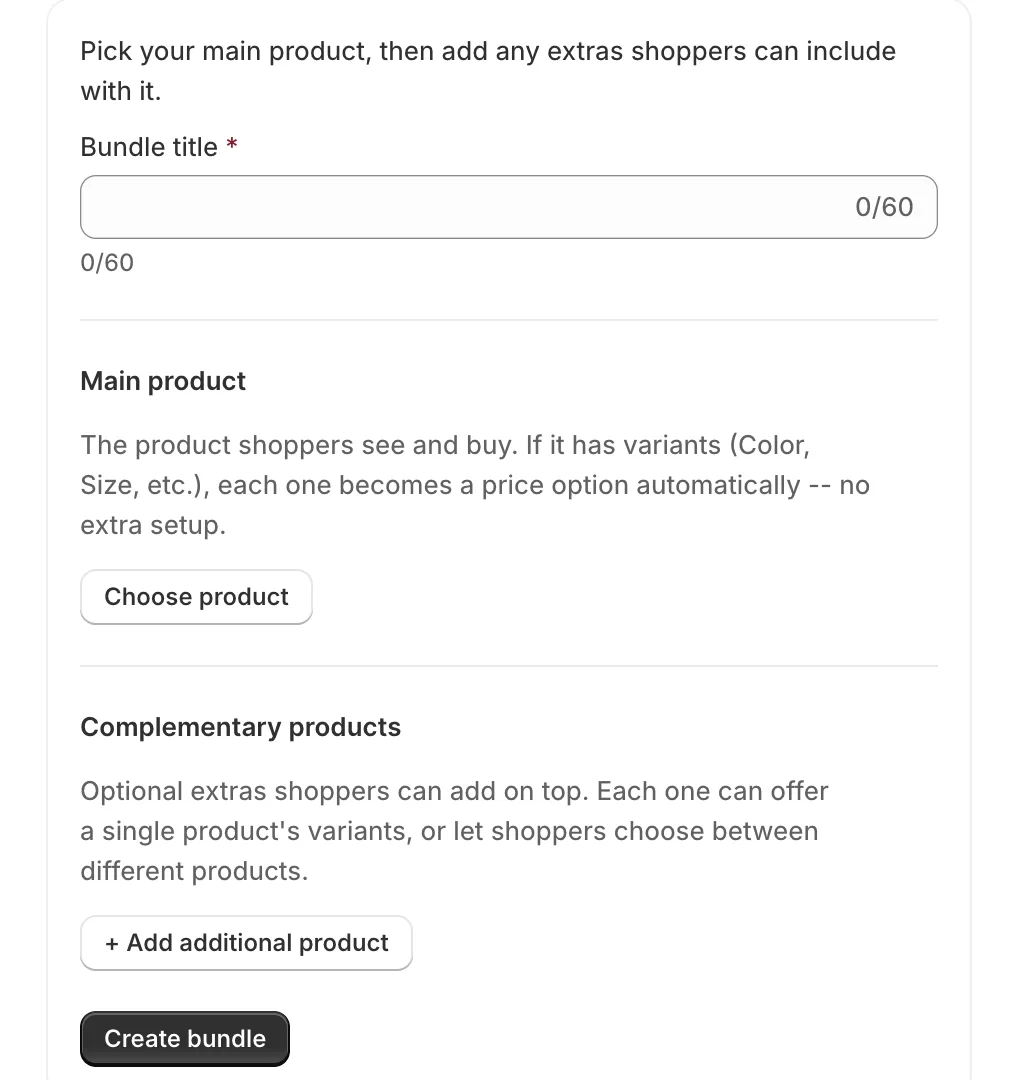
A BundlePilot bundle is one main product plus at least one complementary product. Add another complementary product for a bigger set.
- In BundlePilot, open Bundles and press Create bundle.
- Type a Bundle title in the words shoppers type, such as “gift set for dad”, rather than a house name. Google asks for titles that are descriptive and concise.
- Under Main product, press Choose product. If it has variants (Color, Size, etc.), each one becomes a price option automatically.
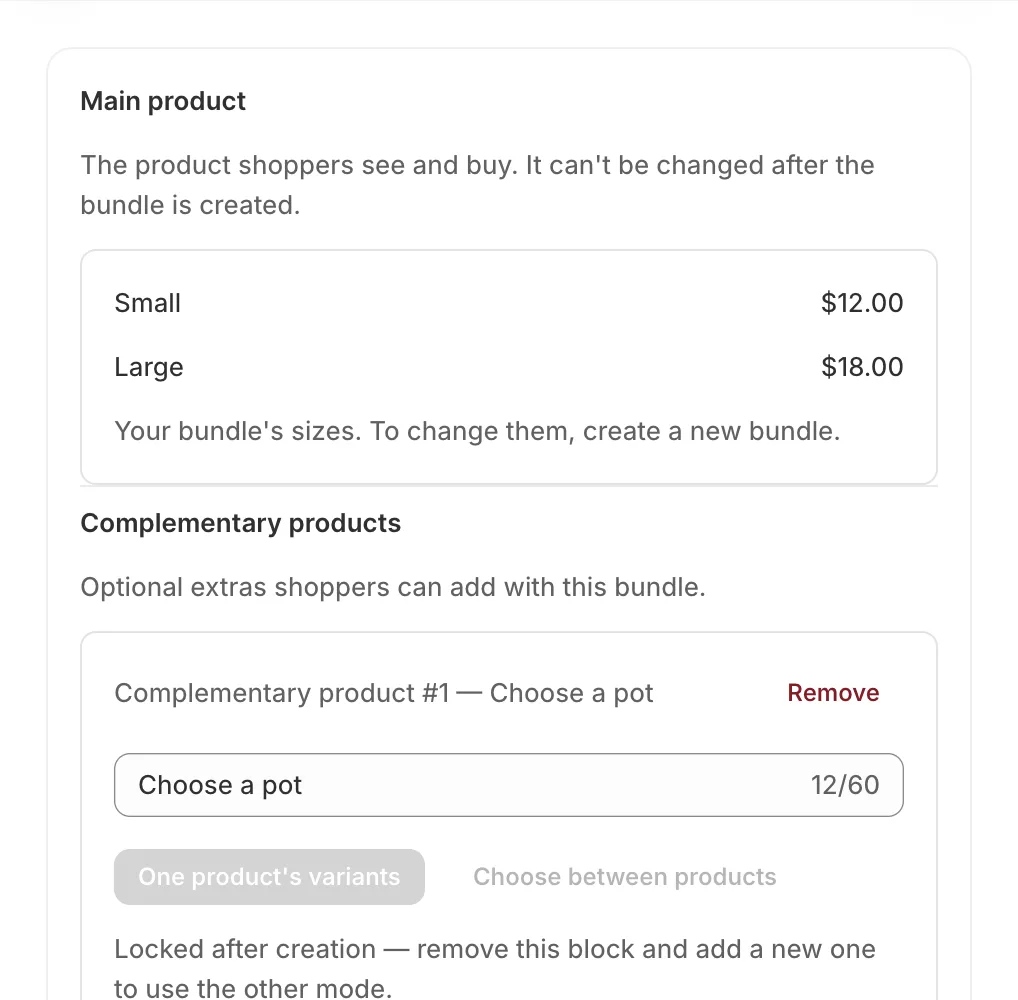
- Press + Add additional product for each extra. Each block offers One product’s variants (shoppers pick a variant from a dropdown) or Choose between products (shoppers pick which product, then its variant). The mode is locked after creation.
- Tick Allow shoppers to write a personal message for this item on the block that holds the gift card, if the set has one.
- Press Create bundle. The bundle becomes its own product, published to your Online Store.
Which items to pair. Build sets from items your shoppers already buy together. In grocery experiments, having shoppers choose bundles increased overall purchases, while a study of fixed bundle promotions found them “far more effective at inducing switching than at boosting category sales” (same note). A bigger order also spreads the packing and shipping cost: McKinsey puts fulfilment at 12 to 20% of e-commerce revenue.
2. Set the bundle price
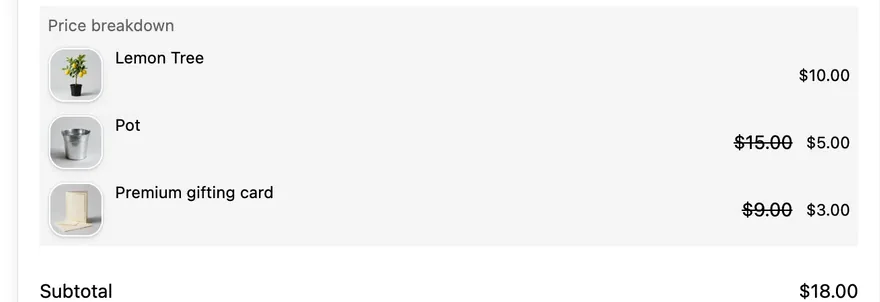
The bundle price is the main product’s price plus the Extra charge of each option the shopper picks. An extra charge of $0 includes that item at no extra cost. Shoppers need no discount code.
- Open Bundles and press Settings on the bundle.
- Under Main product, check each size and its price. To change the sizes, create a new bundle.
- Under Complementary products, set the Extra charge for each option, then press Save.
- Keep Show bundle savings ticked so the product page shows “You save” against the items’ own prices.
How deep to go. McKinsey describes a retailer whose shoppers “paid attention only to the price of the bundle”, so one clear price does the work. Check the margin before you include items for $0: in McKinsey’s model of an average large company, a 5% price cut needs 18.7% more volume just to break even, and in BCG’s work 20 to 50% of promotions showed no noticeable lift.
3. Let each item’s stock stop overselling
Each item in the set stays a real product with its own stock. When a bundle is added to the cart, it is split into those real items, so the order carries each item and a sold-out item stops the set from overselling.
- On the bundle’s product page, an option that has sold out reads “Sold out” and can’t be picked; shoppers choose another one.
- The Add to cart button shows “Sold out” only when a required item has nothing left. Stock is read when the page loads.
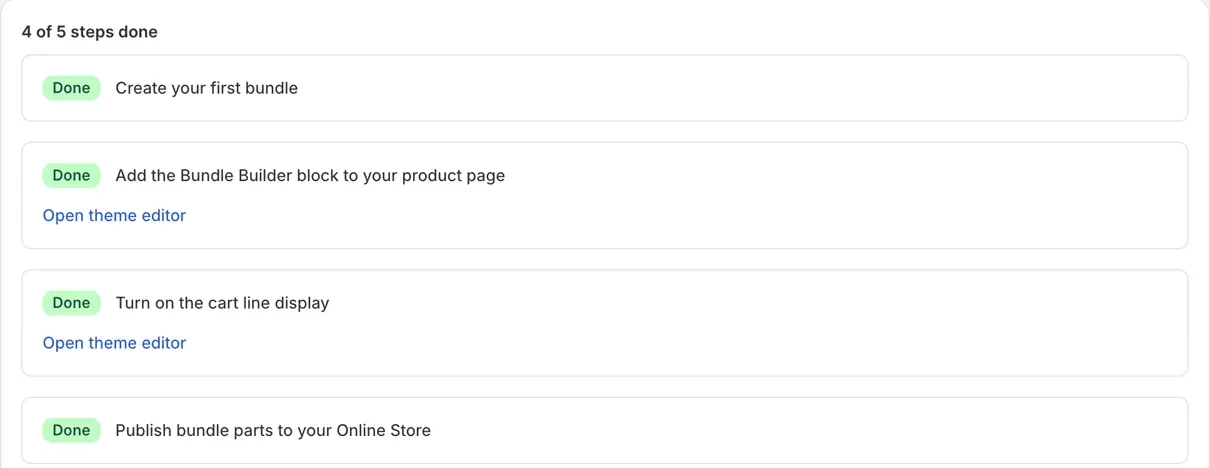
- Open Setup and finish every step: the Bundle builder block, the BundlePilot cart lines app embed, and Publish bundle parts to your Online Store. An unpublished part can still show as available.
- Add the bundle’s product to your Black Friday collection or home page, like any other product.
- Place a test order: the bundle page shows each item, and the cart and checkout list the parts.
First 50 stores · pick a plan by Nov 30
50% OFF your first month of a BundlePilot monthly plan
- Get the code by email. It lands in your inbox within a minute.
- Install BundlePilot from the Shopify App Store and pick a monthly paid plan.
- Within 7 days of install, reply to the email with your store address. We apply the 50% OFF for you.
Paid plans come with a 7-day free trial. A free plan is available.
CodeGet the code
 BundlePilot: Smart Bundles · Free plan available
Questions about BundlePilot on Black Friday
What if weekend bundle sales pass my plan’s limit?
Each plan covers an amount of bundle sales a month; the Free plan covers up to $1,000. If you pass it, the app shows a banner with the plan to move to and a date 7 days out, and your bundles keep working in the meantime.
Where do shoppers see their saving after they pay?
On the thank-you and order status pages, once you add the BundlePilot savings card app blocks in the checkout editor. That works on all Shopify plans; on the Checkout page itself it needs Shopify Plus.
How do I see how the bundles did after the weekend?
Open Analytics: it shows total bundle orders, bundle GMV before refunds, attach rate, total savings and average order value. Tick Compare to previous period to set the weekend against the period before. Bundle orders lists each order.
Does my theme need anything special?
It needs to be an Online Store 2.0 theme. The bundle builder is an app block, and app blocks only fit themes where every page is made of sections. Check yours under Online Store, Themes.