
1. Create the weekend deal
One rule holds the whole weekend deal. Pick Bulk discount to set your own percentage for 2 and for 3 units, or BOGO for the two fixed BOGO deals.
- In the BulkPilot menu, open Rules and press New rule.
- Under Rule name, type a name you will find again on Monday, for example “BFCM weekend”.
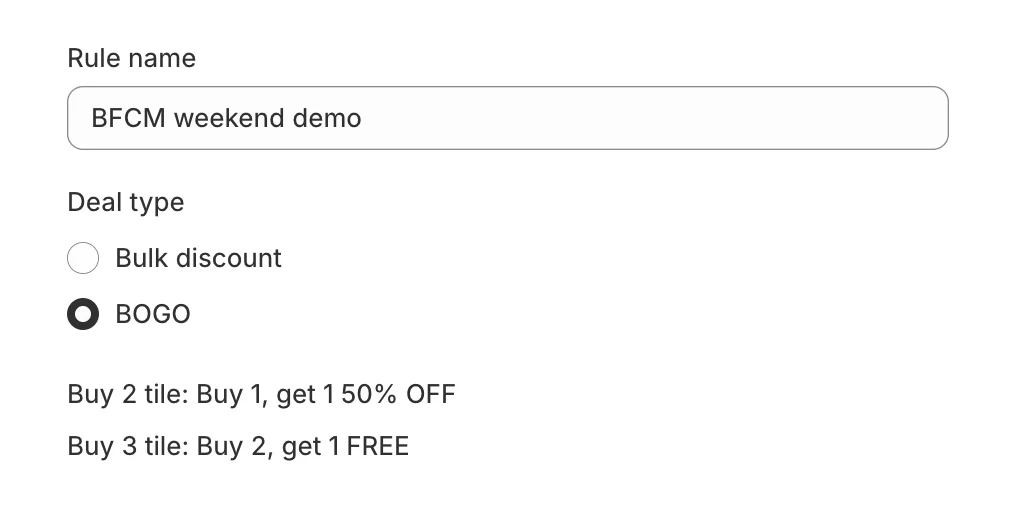
- Under Deal type, choose Bulk discount and fill in Buy 2: % OFF and Buy 3 or more: % OFF. Each must be over 0% and up to 95% OFF. Or choose BOGO: the app sets the Buy 2 tile to “Buy 1, get 1 50% OFF” and the Buy 3 tile to “Buy 2, get 1 FREE”.
- Optional: Buy 2 tile text and Buy 3 tile text, up to 40 characters each. Leave them blank for the automatic text.
- Under Applies to, keep Chosen collections and products and press Add collections or Add products, or choose Whole store. You can exclude products from the rule.
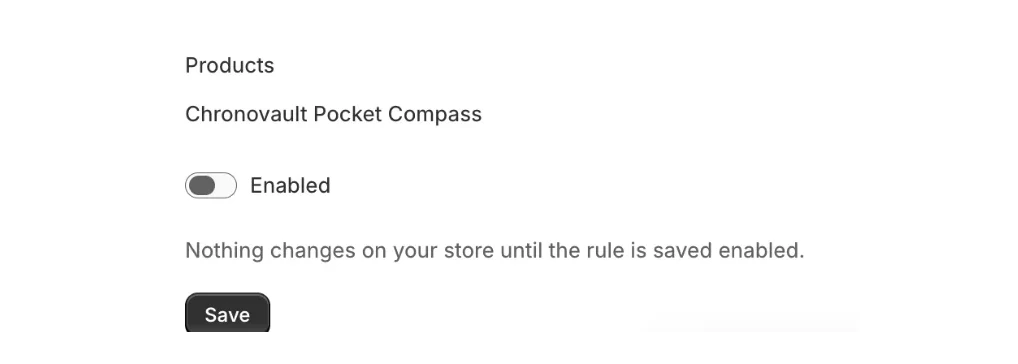
- Turn Enabled on and press Save. In the Rules table its status reads Live.
Free plan: it includes 1 active rule. If an everyday rule is already live, switch it off before you save the weekend rule, or upgrade to BulkPilot Pro for unlimited rules.
How deep to go. BOGO works out at 25% OFF a pair and 33% OFF three, so check your margin first. In McKinsey’s model of an average large company, a 5% price cut needs 18.7% more volume just to break even. At one apparel retailer, Bain found the profit sweet spot at a 10% discount, while 50% sold the most (same note). If you are choosing a format, one peer-reviewed study found that “X for $Y” did better than “X + N free” in everyday categories. A Bulk discount tile shows the total for 2 or 3; a BOGO tile names the free unit.
2. Check the tiles, the cart and checkout
Shoppers see the deal on the product page, in the cart and at checkout, with no code to type.
- If the BulkPilot blocks are not on your theme yet, use Add to product page and Add to cart page on the app’s Home screen. They open the theme editor for the blocks BulkPilot bulk-pricing buttons and BulkPilot bulk-pricing (cart). The install guide has every screen.
- Open a product the rule covers. By default the tiles sit above Add to cart: Buy 1, the Buy 2 deal and the Buy 3 deal, with the Buy 2 tile selected and a “You save” line.
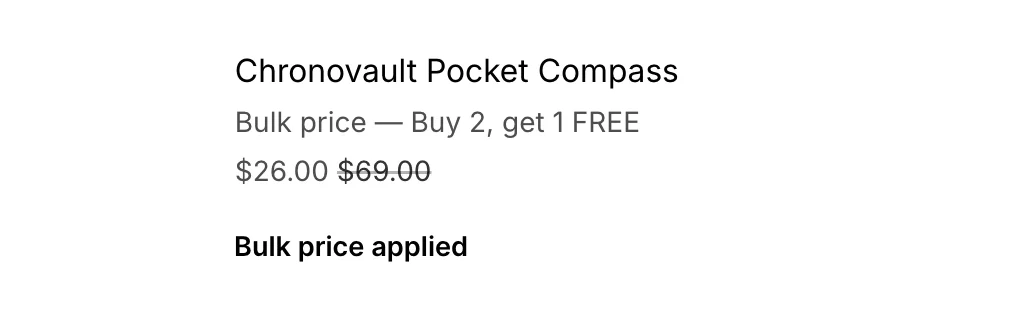
- Add a deal to the cart. The cart page shows the deal name and “Bulk price applied”.
- Go to checkout. The line reads “Bulk price” with the deal name, and the saving is already applied.


The cart drawer is not supported in this version; the tiles show on the product page and the cart page. BulkPilot combines with order-level and shipping discounts, but not with other product-level discounts. If you also run a storewide product discount, Shopify applies one of them. BCG reports that over 70% of consumers it surveyed prefer a single, clear discount to several they must combine, and Baymard found 83% of sites don’t apply discounts automatically.
3. Switch it off after Cyber Monday
A BulkPilot rule has no end date, so switching it off is a step you take yourself. Cyber Monday 2026 is 30 November; put a reminder in your calendar for that night.
- Open Rules and press Edit on the weekend rule.
- Turn Enabled off and press Save.
- The Rules table shows the status Off. The tiles leave those product pages and checkout stops applying the deal. To remove it for good, press Delete.
- On the Free plan, switch your everyday rule back on.

A clear end matters. Deloitte’s survey found 75% of US shoppers plan to shop during promotional weeks, and Bain notes that “short, well-spaced offers tend to work best” (same note). Afterwards, compare the weekend’s orders and margin with an ordinary week: in BCG’s work, 20 to 50% of promotions showed no noticeable lift.
First 50 stores · ends Nov 30
50% OFF your first month of BulkPilot Pro
- Get the code by email. It lands in your inbox within a minute.
- Install BulkPilot from the Shopify App Store. A free plan is available.
- Choose BulkPilot Pro, monthly, and type the code in the app’s Discount code field.
Once the 50 codes are used, new stores don’t get this discount.
CodeGet the code
 BulkPilot Smart BOGO Discounts · Free plan available
Questions about BulkPilot on Black Friday
What happens when someone buys 4 or more?
With Bulk discount, 4 and above continue at the Buy 3 per-unit rate. BOGO stops at 3 units: no BOGO discount above 3.
Some products are already on sale for Black Friday. Which price does the deal start from?
In Settings, Calculate bulk price from is set to Current selling price (default), so the deal comes off the sale price. Choose Original price to work from the original price instead. It is one switch for every product.
A product is in two rules. Which one wins?
A rule that picks a product directly beats a collection rule. Between collection rules the lower discount applies, unless you choose otherwise in Rules, under Products in more than one rule.
Does a Whole store rule cover gift cards?
No. A Whole store rule covers every product except gift cards and any products you exclude.